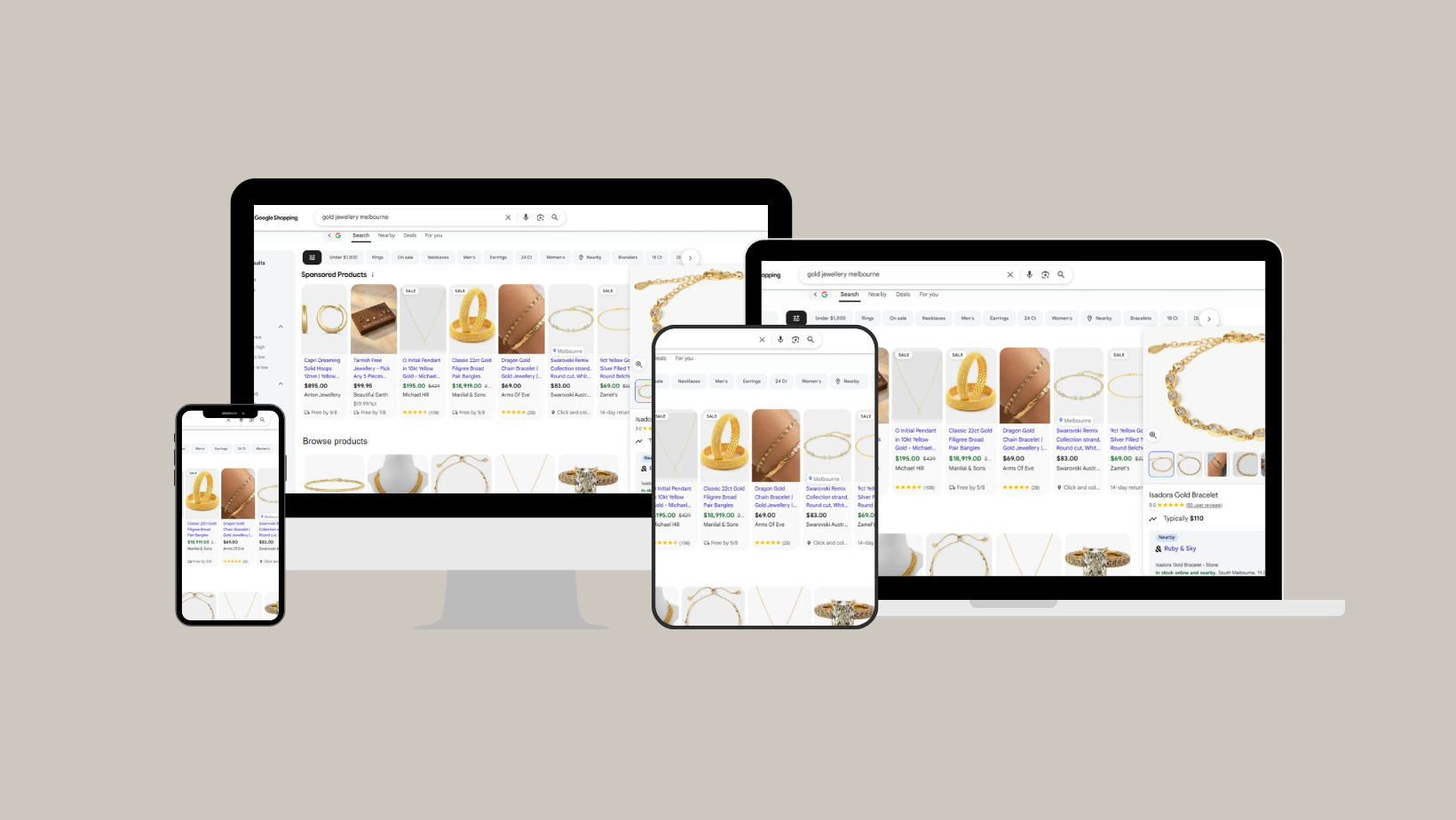

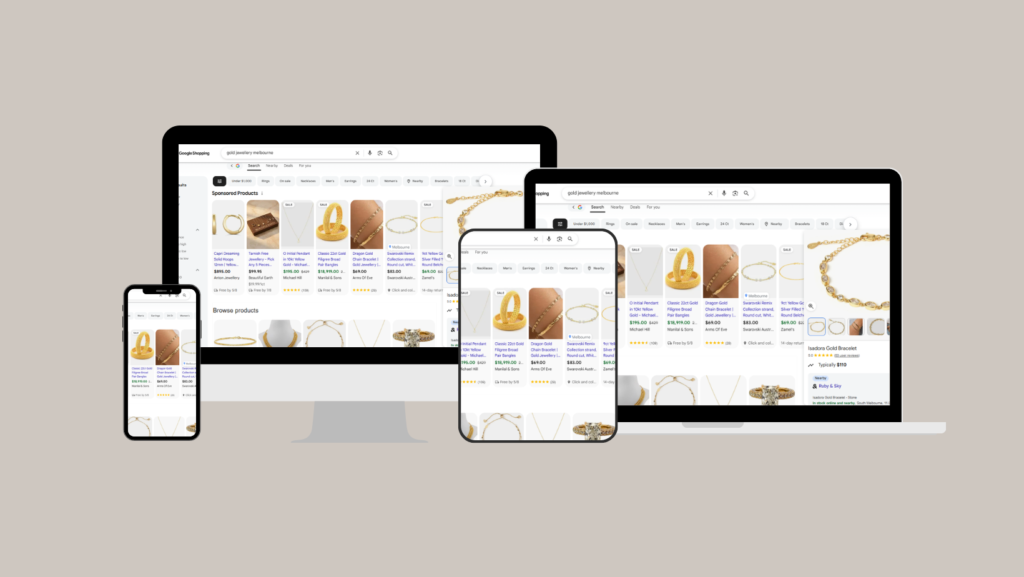
Google Shopping can become one of the highest-performing acquisition channels for an eCommerce business. It can also quietly erode profit.
Many retailers focus on revenue, clicks or return on ad spend (ROAS) because those numbers are easy to measure. Profit tells a different story. A campaign that generates a 600% ROAS may still lose money once discounts, shipping, product margins and returns are factored in.
That’s why profitable Google Shopping campaigns start long before you choose a bidding strategy. Product data, campaign structure, pricing, inventory, conversion rate and customer lifetime value all influence the final result.
This guide explains how profitable Google Shopping campaign management actually works, where most retailers leak budget, and what you can do to improve performance without simply increasing ad spend.
Key takeaways
| Takeaway | Why it matters |
|---|---|
| Feed quality determines visibility. | Google can’t advertise products it doesn’t fully understand. |
| Profit matters more than ROAS. | Revenue doesn’t always translate into healthy margins. |
| Campaign structure influences budget allocation. | Different products deserve different bidding strategies. |
| Merchant Center health affects performance. | Policy issues and feed errors reduce product eligibility. |
| Landing pages influence advertising efficiency. | Better conversion rates reduce acquisition costs. |
| Regular optimisation compounds over time. | Small improvements across multiple areas usually outperform major account overhauls. |
What makes a Google Shopping campaign profitable?
A profitable campaign generates sales while protecting margin. That sounds obvious, but many accounts optimise for metrics that only tell part of the story.
Consider two retailers spending $20,000 each.
| Metric | Retailer A | Retailer B |
|---|---|---|
| Ad Spend | $20,000 | $20,000 |
| Revenue | $140,000 | $100,000 |
| ROAS | 700% | 500% |
| Average Margin | 18% | 42% |
| Estimated Gross Profit | $25,200 | $42,000 |
Retailer A reports a stronger ROAS, while Retailer B makes significantly more gross profit.
That’s why experienced advertisers increasingly look beyond revenue. Campaign decisions become much better when product margin, inventory levels, customer acquisition cost (CAC) and lifetime value (LTV) are part of the conversation.
Google’s automated bidding has become remarkably good at finding conversions. Your job is to give the algorithm the right commercial signals to pursue.
How Google Shopping actually works
Understanding the process makes it much easier to identify where performance breaks down.
| Stage | What happens | What to check |
|---|---|---|
| Product Feed | Google receives your product information. | Titles, GTINs, categories, descriptions and images. |
| Merchant Center | Products are reviewed for eligibility. | Disapprovals, diagnostics and policy compliance. |
| Google Ads | Campaigns decide which products can compete. | Campaign structure, segmentation and bidding. |
| Auction | Google selects products based on relevance and bid signals. | Search intent, competitiveness and historical performance. |
| Landing Page | Visitors decide whether to purchase. | Page speed, trust signals, pricing and UX. |
| Purchase | Conversion data returns to Google. | Accurate tracking and revenue attribution. |
Many advertisers focus almost entirely on bidding.
In reality, bidding is only one step in a much larger system. Weak product data, inaccurate pricing or poor landing pages reduce performance before Google’s bidding algorithm even has a chance to help.
That’s one reason businesses often combine Shopping management with broader Google Ads management rather than treating Shopping as a separate channel.
The Google Shopping profitability pyramid
One way to think about Shopping performance is as a hierarchy. Each level supports the one above it. Weak foundations eventually limit growth, regardless of how sophisticated your bidding strategy becomes.
| Level | Focus | Question to ask |
|---|---|---|
| 6 | Profit | Are campaigns creating healthy commercial returns? |
| 5 | Measurement | Can we trust our conversion data? |
| 4 | Landing pages | Are visitors converting efficiently? |
| 3 | Campaign structure | Is budget flowing towards the right products? |
| 2 | Merchant Center | Are products approved and eligible? |
| 1 | Product feed | Does Google fully understand every product? |
Many retailers immediately adjust bids when performance drops. In practice, the issue often sits much lower in the pyramid, where feed quality, Merchant Centre diagnostics or conversion rate have quietly deteriorated.
1. Build a product feed that matches how customers search
Your Google Shopping Feed is Google’s primary source of information. If the feed lacks detail, Google has fewer opportunities to match your products with relevant searches. One of the biggest improvements most retailers can make is rewriting product titles around search behaviour instead of internal naming conventions.
Compare these examples.
| Poor title | Better title |
|---|---|
| Black Jacket | Men’s Black Waterproof Hiking Jacket | Lightweight Rain Shell |
| Office Chair | Ergonomic Office Chair with Adjustable Lumbar Support | Black |
| Running Shoes | Women’s Trail Running Shoes | Waterproof | Size 6-11 |
Strong feeds also include:
- Accurate GTINs and manufacturer information.
- Detailed product descriptions.
- Google product categories.
- High-quality product images.
- Current pricing.
- Live stock availability.
Google recommends keeping product data accurate and regularly updated because mismatches between Merchant Center and your website can lead to product disapprovals and reduced visibility.
2. Structure campaigns around commercial priorities
Many Shopping accounts still operate with one campaign, one budget and one ROAS target. That approach works for smaller catalogues. Larger retailers usually need more control.
Your best-selling products, premium collections and clearance stock all play different commercial roles. Treating them the same often pushes budget towards products that convert easily instead of those that create the healthiest margins.
A practical campaign structure might separate products by:
- Best sellers
- High-margin categories
- Seasonal collections
- Clearance inventory
- New product launches
That gives Google’s bidding systems clearer signals while allowing you to adjust budgets around business priorities instead of platform averages.
If your catalogue has become difficult to manage, it may be worth reviewing whether your existing Google Shopping & eCommerce strategy still reflects your commercial goals.
3. Measure profit instead of chasing ROAS
ROAS is useful. It just isn’t the whole picture.
A campaign generating thousands of dollars in sales may still underperform if products carry low margins, attract high return rates or require deep discounting.
The most mature Shopping accounts increasingly monitor:
- Gross profit by category
- Contribution margin
- New customer acquisition cost
- Customer lifetime value
- Average order value
- Repeat purchase rate
Those metrics create much better bidding decisions over time.
Google’s automation performs best when conversion tracking accurately reflects commercial outcomes. The better the data you feed into the platform, the better its decisions become.
4. Keep your Merchant Center healthy
Merchant Center is the foundation of every Google Shopping campaign. When products are disapproved or product data falls out of sync with your website, Google simply stops showing those items.
Many retailers only discover a problem after sales begin to decline.
A monthly Merchant Centre review should include:
- Product disapprovals and warnings.
- Price mismatches.
- Availability mismatches.
- Missing GTINs or MPNs.
- Image quality issues.
- Shipping and tax settings.
Google also places increasing importance on accurate delivery information, return policies and trust signals. These details influence both policy compliance and customer confidence.
If your catalogue changes frequently, automate feed updates wherever possible. A daily feed refresh is sufficient for many retailers, while businesses with rapidly changing inventory may require more frequent updates.
5. Turn more clicks into customers
Google Shopping generates qualified visitors. Your website determines whether they become paying customers.
It’s common to see businesses increase ad spend while conversion rates quietly decline because product pages haven’t kept pace.
Some of the highest-impact improvements happen after the click.
| Landing page element | Why it matters |
|---|---|
| Fast mobile loading | Reduces abandonment. |
| Clear product imagery | Builds purchase confidence. |
| Visible delivery information | Reduces checkout surprises. |
| Customer reviews | Increases trust. |
| Detailed product specifications | Answers buying questions before checkout. |
| Simple checkout process | Improves completed purchases. |
Even small improvements in conversion rate have a significant effect on advertising efficiency. Increasing your conversion rate from 2% to 3% means you generate 50% more sales from the same advertising budget.
That’s why Shopping performance often improves alongside ongoing conversion rate optimisation (CRO). Better advertising and a better website usually produce stronger commercial outcomes than improving either one in isolation.
6. Treat Google Shopping as an ongoing process
Google Shopping isn’t something you optimise once. Search behaviour changes. Competitors adjust pricing. Products move in and out of stock. Google’s machine learning responds to those changes every day.
The healthiest accounts follow a consistent review cycle.
| Frequency | Recommended review |
|---|---|
| Daily | Feed health, product approvals and tracking issues. |
| Weekly | Search terms, campaign performance and budget allocation. |
| Monthly | Category profitability, bidding targets and feed improvements. |
| Quarterly | Promotional strategy, seasonality and catalogue structure. |
Most long-term gains come from hundreds of small improvements rather than one dramatic account rebuild.
A common pattern we see
Across Google Shopping accounts reviewed by Loud Days, the biggest performance issues usually aren’t caused by bidding strategies.
More often, they come from incomplete product data, campaigns that group hundreds of products regardless of margin, and websites that lose customers after the click.
Once those issues are addressed, Google’s automated bidding typically has much better information to work with, which often produces stronger long-term performance without dramatically increasing advertising budgets.
Google Shopping profitability scorecard
Use this quick checklist to assess whether your campaigns are built for long-term growth.
| Question | Yes | No |
|---|---|---|
| Do you segment products by margin or commercial value? | ☐ | ☐ |
| Is your product feed updated every day? | ☐ | ☐ |
| Are Merchant Center diagnostics reviewed regularly? | ☐ | ☐ |
| Can you identify your most profitable products? | ☐ | ☐ |
| Do your Shopping campaigns target new customer growth? | ☐ | ☐ |
| Is conversion tracking verified? | ☐ | ☐ |
If you answered “No” to two or more questions, there are probably opportunities to improve profitability before increasing ad spend.
Common reasons Google Shopping campaigns lose profit
When profitability declines, the problem usually sits outside Google’s bidding algorithm.
| Issue | Business impact |
|---|---|
| Generic product titles | Lower visibility for relevant searches. |
| Missing product attributes | Reduced eligibility in Shopping results. |
| Outdated pricing | Product disapprovals and lost impressions. |
| One campaign for every product | Budget flows towards easy conversions instead of profitable ones. |
| ROAS targets set too aggressively | Limited growth opportunities. |
| Ignoring low-margin products | Revenue grows while profit stalls. |
| Poor landing pages | Higher acquisition costs. |
| Weak conversion tracking | Google learns from incomplete data. |
What should Australian retailers benchmark instead?
Most Google Shopping benchmark articles focus on click-through rate or ROAS. Those numbers can be useful, but they rarely tell you whether your campaigns are becoming more profitable.
For Australian eCommerce businesses, these commercial indicators usually provide a much clearer picture.
| Business KPI | Healthy direction | Why it matters |
|---|---|---|
| Merchant Center approval rate | 98%+ | Ensures almost every product remains eligible to serve. |
| Feed refresh frequency | Daily | Reduces pricing and stock discrepancies. |
| Revenue from non-brand searches | Increasing | Shows you’re acquiring new demand rather than relying on existing brand awareness. |
| Share of spend on high-margin products | Growing | Improves profitability without increasing budget. |
| Conversion rate | Improving month-on-month | Usually reflects better product pages and customer experience. |
| New customer share | Stable or increasing | Supports sustainable long-term growth. |
Rather than comparing your account with industry averages, compare these metrics against your own historical performance.
Consistent month-on-month improvements usually create stronger commercial outcomes than chasing arbitrary benchmark figures.
When should you consider professional Google Shopping management?
You don’t need an agency because your campaigns aren’t generating sales. You usually need specialist support when profitable growth becomes harder to sustain.
That often happens when:
- Your catalogue continues growing.
- Merchant Center issues become frequent.
- Performance Max campaigns become difficult to interpret.
- ROAS looks healthy while overall profit declines.
- Your team spends more time fixing feeds than improving strategy.
- You want advertising decisions based on business outcomes rather than platform metrics.
At Loud Days, Google Shopping isn’t managed as a standalone advertising channel. Product feeds, campaign structure, landing pages, analytics and commercial performance are reviewed together because each influences the final result.
If you’re looking for a more strategic approach, explore our Google Shopping & eCommerce services to see how we help Australian retailers build profitable Shopping campaigns.
Frequently asked questions
What is Google Shopping campaign management?
How often should I optimise my Google Shopping campaigns?
Feed health should be monitored regularly, while campaign performance and budget allocation are typically reviewed every week. Broader strategy reviews are usually carried out monthly or quarterly.
Is Performance Max better than Standard Shopping?
Performance Max gives Google’s machine learning access to more inventory across Search, Shopping, YouTube, Display and Discover. Standard Shopping still provides greater control in some situations. The right choice depends on your objectives, conversion data and catalogue size.
Does ROAS measure profitability?
No. ROAS measures advertising efficiency based on revenue. It doesn’t include product margin, shipping costs, discounts or returns. Profitability requires a broader commercial view.
Why are my Google Shopping impressions dropping?
How important is the product feed?
The product feed is one of the biggest factors influencing Shopping performance. Strong titles, complete product attributes, accurate pricing and quality images help Google understand and rank your products more effectively.
Can small eCommerce stores succeed with Google Shopping?
Should Google Shopping be managed alongside Google Ads?
Final thoughts
Profitable Google Shopping campaigns rarely depend on one setting inside Google Ads.
They grow because every part of the system works together. Product data helps Google understand what you’re selling. Campaign structure directs budget towards the right products. Landing pages convert more visitors into customers. Reliable measurement gives Google’s automation better signals to learn from.
When those elements improve together, advertising becomes more predictable and commercial decisions become easier to make.
If your Google Shopping campaigns are producing sales but you’re unsure whether they’re delivering the strongest commercial return, a strategic review can often uncover opportunities that aren’t obvious inside Google Ads alone.
Learn more about our Google Shopping & eCommerce services, explore our Google Ads management solutions, or discover how conversion rate optimisation can help turn more of your existing traffic into revenue.